
Valorant features a monetization system based on weapon skins, battle passes, and Valorant Points (VP). Tracking transactions made on your Riot account is done through a tool integrated into the official site, accessible in just a few clicks. The displayed data covers VP purchases, in-store spending, and any refunds granted by support.
Riot’s Anti-Fraud System and Payment Refusal on Valorant
Before even discussing history, a concrete problem affects many players: transaction refusal when trying to purchase VP. Riot’s anti-fraud system regularly blocks payments made by credit card or certain digital wallets, without clear explanations for the player.
Related reading : How to Easily Log into Your Nature et Matériaux Customer Area
Since 2023-2024, several experiences have converged on a workaround: PayPal works where credit cards fail. The same account, the same country, the same address, and yet the payment goes through instantly via PayPal after several refusals by card. This discrepancy raises questions about the exact criteria of the anti-fraud filter, which Riot does not publicly document.
For someone looking to check their Valorant purchase history and understand their spending, this point has a direct impact. A refused payment then attempted through another method can generate duplicates in personal bank statements, even if the transaction only appears once in the Riot history. Verifying the consistency between your bank statement and the Riot history after a refusal episode helps avoid unpleasant surprises.
You may also like : How to Energize Your Visual Communication with Creative and Innovative Solutions

Valorant Purchase History via the Riot Account: What is Displayed and What is Missing
The consultation tool is found on the Riot Games support site. After logging into the account, the section dedicated to transactions lists VP purchases, items acquired in the store, and any refunds. Each line displays the date, type of transaction, and the amount in VP or currency.
Information Visible in the Riot History
- Purchases of Valorant Points with the actual amount spent and the payment method used
- Skins, accessories, and battle passes purchased with VP, along with the exact date of each transaction
- Refunds granted by support, which appear as VP credits returned
However, the history does not provide a cumulative total. Riot displays transactions line by line, without a global summary. To know the total amount spent since the account was created, one must manually add up each VP purchase, which becomes tedious after several dozen transactions.
Purchases made with Kingdom credits do not appear in the same section. Items obtained through the free battle pass or agent rewards also do not show up as transactions, since no VP was spent.
Valorant Refund: Actual Conditions and Limits
Riot’s refund policy sets a strict framework. Only unused content and VP purchased less than 14 days ago can be refunded. Content is considered “used” as soon as it has been equipped in a match, regardless of the mode (custom, training, competitive).
What Riot Does Not Refund
- Used or upgraded weapon skins, as well as their levels and variants
- Skin bundles, unlocked agents, and premium battle passes
- Radianite Points and any purchases made with Kingdom credits
The refund request goes through a ticket to Riot support. The processing time varies, and the refund takes the form of a VP credit on the account, not a bank transfer. This distinction is important for managing actual spending: a Riot refund does not return money to the bank account.
For players who monitor their budget, this mechanism creates a retention effect. The refunded VP remains within the Valorant ecosystem and will likely be spent again. This is a monetary design choice, not a coincidence.
Valorant Store and Bundles: How Offers Target Spending Profiles
Riot has strengthened its data and marketing partnerships around Valorant. Engagement, viewing, and monetization data are correlated to identify player profiles sensitive to promotional bundles or store rotations.
The Valorant store operates on a daily rotation system. Four skins appear each day, selected personally. This mechanism creates a sense of urgency: the skin displayed today may not be available tomorrow. The daily rotation encourages impulsive buying much more effectively than a permanent catalog.
Bundles represent another lever. They group several skins and accessories at a unit price lower than purchasing separately, but the total amount remains high. A player who would have only bought a single skin finds themselves spending on a complete set because the “value for money” seems better.
Regularly checking your transaction history allows you to measure the gap between what you thought you were spending and what you actually spent. Several players are surprised to discover that their “occasional” VP purchases, accumulated over a few months, reach amounts they would never have committed in one go.
Valorant Spending Tracking: Going Beyond the Riot Tool
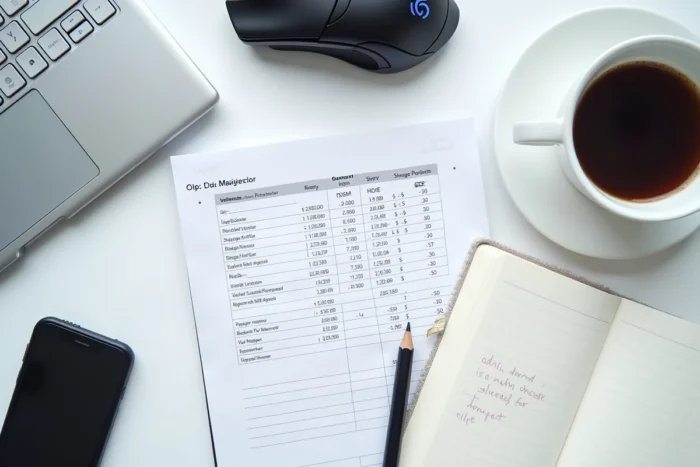
The Riot history remains a consultation tool, not a management tool. For structured tracking, cross-referencing the history data with a personal spreadsheet provides a clearer view. Recording each VP purchase with the date, amount in euros, and the skins bought next to it allows for visualizing the trend month by month.
Comparing the Riot history with your bank statements or PayPal remains the only reliable way to ensure that every euro spent corresponds to a transaction recorded on the Riot side. Discrepancies, though rare, are most often related to failed payment attempts that still generated a temporary hold on the bank account.
Riot does not offer threshold alerts or voluntary spending caps on Valorant accounts. This type of feature, common on gambling platforms, does not yet exist in the free-to-play gaming ecosystem, despite the amounts sometimes spent by certain players.